On this page
Copy/Paste Military Symbol
The simple way to copy a symbol in the Military Symbol Generator and paste it into another application such as PowerPoint or Word.
Enable Copy Mode
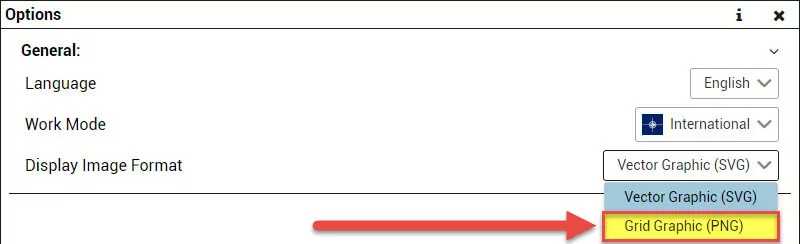
Open the Options and set the Display Image Format in the General section to ‘Grid Graphic (PNG)’. This enables copying the image in the Main Window of symbol.army.
Copy Image
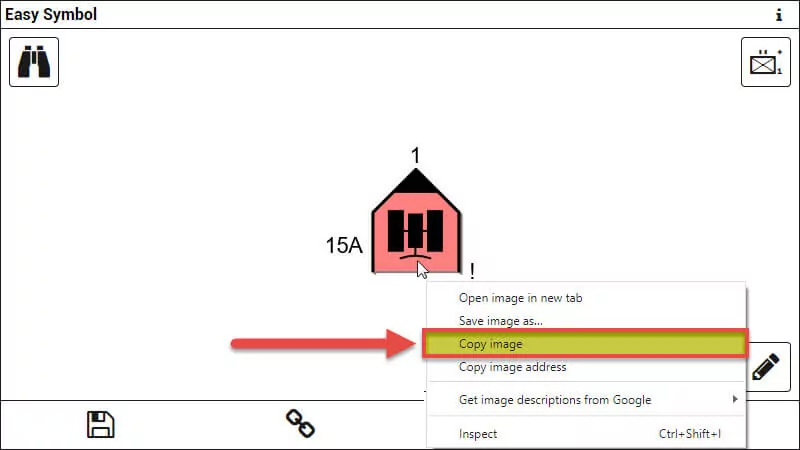
The Military Symbol in the Main Window of the web application can now be copied via the right click menu. Select ‘Copy Image’ to add the symbol to the clipboard. On a touch screen, press and hold the symbol to open the same menu.
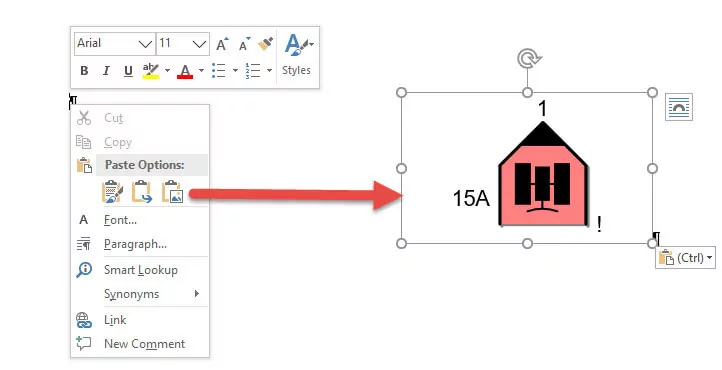
The Military Symbol can now be pasted into another application which supports images.